Automated document processing

Document workflows that take care of themselves

From document receipt to distribution: Caya Automations process your documents fully automatically, scalably and seamlessly integrated into your existing systems.

Datev Logo
Microsoft Logo
Google Logo
zapier Logo
aws logo

Automated document processing

Document workflows that take care of themselves

From document receipt to distribution: with Caya Automations, your entire document process runs automatically – rule-based, scalable and seamlessly integrated into your existing tool landscape.
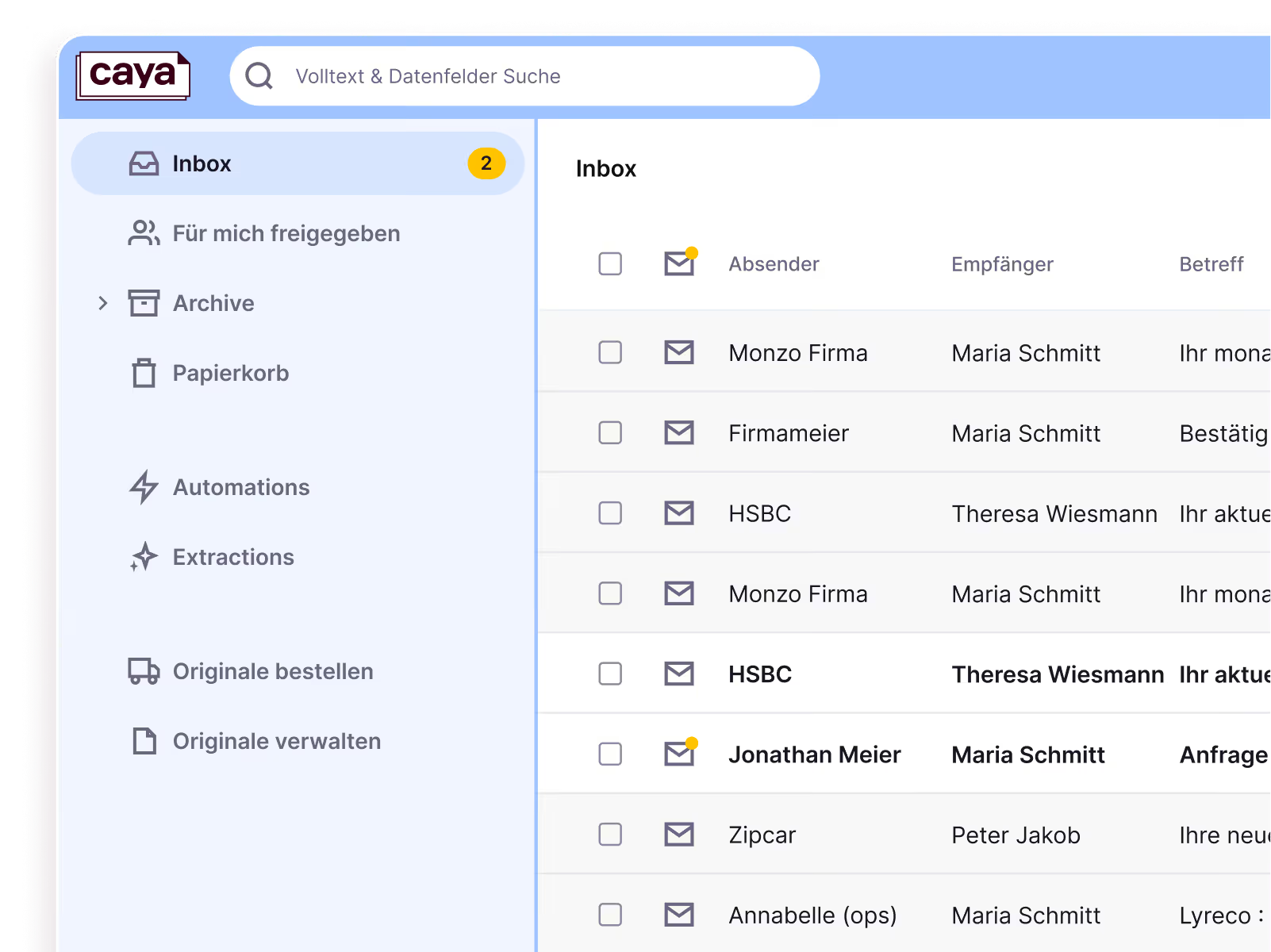
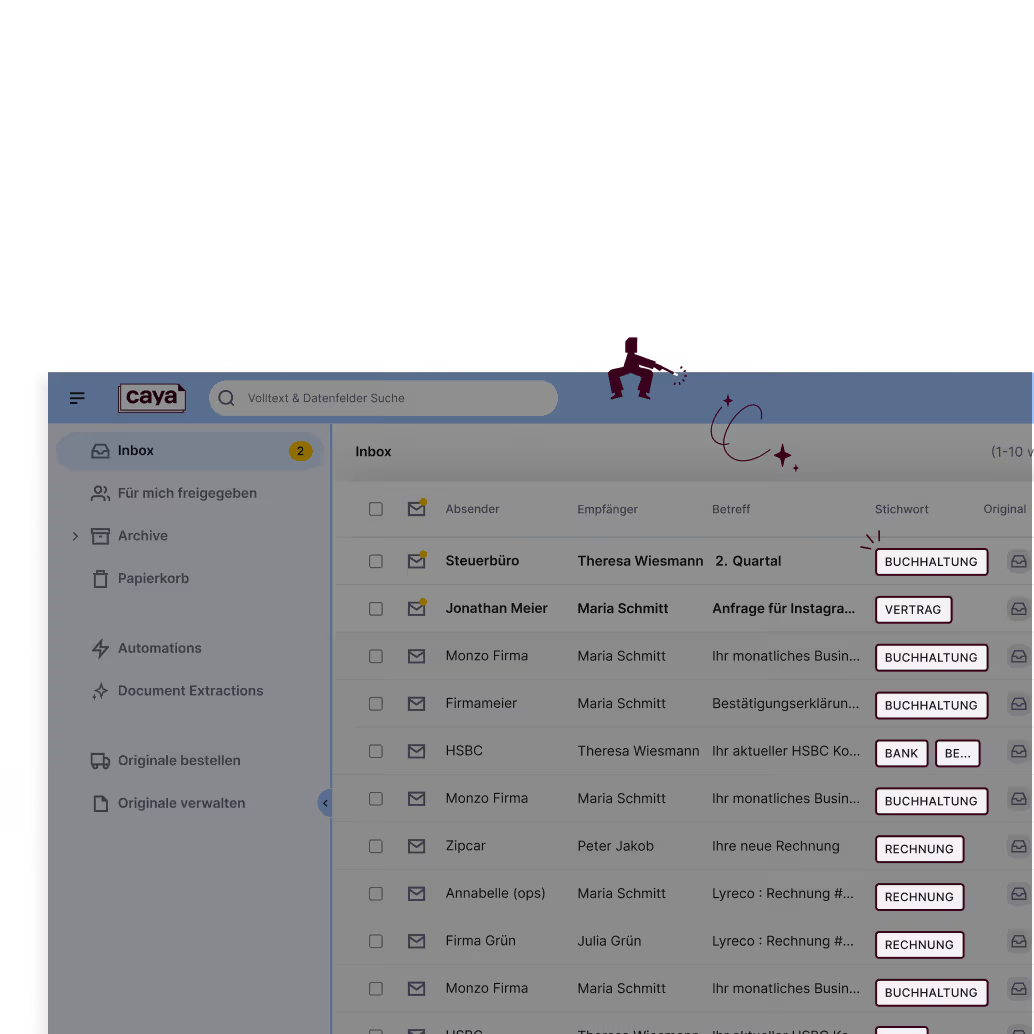
Screenshot of the Caya inbox showing newly arrived documents
OMR Reviews Top 100 Rated Tools in DACH 2026Caya ist OMR Leader für Intelligent Document Processing

Over 20,000 users are automating their document processes with Caya

4.8 out of 5 star rating on G2
Icon of a green tick
ISO 27001 certified
Icon of a green tick
GDPR
DORA
GoBD
-compliant
Cloud servers in Germany

Benefits of automated document processing

Caya Automations permanently replace manual document processes, from individual workflows to entire document processing operations.

End-to-end

Automating the entire document flow: from inbox to ERP.

0 manual steps

Documents and data are processed automatically. No sorting, no manual entry, no copy-pasting.

Plug & Play

Caya is a plug-and-play solution that is ready to use immediately, with no additional IT effort required.

End-to-end

Automating the entire document flow: from inbox to ERP.

0 manual steps

Documents and data are processed automatically. No sorting, no manual entry, no copy-pasting.

Plug & Play

Caya is a plug-and-play solution that is ready to use immediately, with no additional IT effort required.

How Caya Automations work

From receipt to integration, fully automated

Capture

Caya automatically captures incoming documents, whether they are incoming post, email attachments, or uploads.

Organization

Documents are automatically identified, named, and filed in the correct folder based on sender, keyword, or your own rules.

Distribution

Have documents automatically distributed to your employees and work on them together.

Integrations

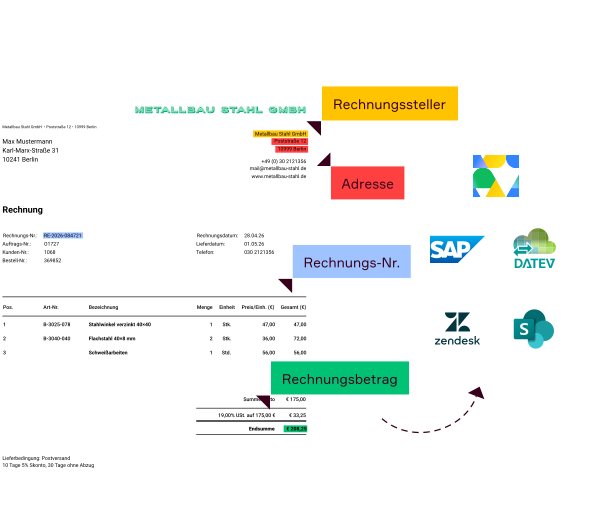
Caya automatically transfers your documents and relevant data to your existing software landscape, such as OneDrive, Google Drive, SAP or your ERP. Discover our integrations.

Capture

Caya automatically captures incoming documents, whether they are incoming post, email attachments, or uploads.Caya automatically captures incoming documents, whether it's physical mail, email attachments, or uploads.

Organisation

Documents are automatically identified, named, and filed in the correct folder based on sender, keyword, or your own rules.Documents are automatically recognized, named, and filed in the correct folder based on sender, keyword, or custom rules.

Distribution

Have documents automatically distributed to your employees and work on them together.Automatically distribute documents to your employees and collaborate on them.

Integrations

Caya automatically transfers your documents and relevant data to your existing software landscape, for example OneDrive, Google Drive, SAP, or your ERP. Discover our integrations.Discover our integrations.Caya automatically transfers your documents and relevant data to your existing software landscape, for example OneDrive, Google Drive, SAP, or your ERP.

Rule-based automation

Automate according to your rules

Define simple if-then conditions and let Caya process your documents automatically.
  • Set up your own automations, with no code required
  • Connect Caya seamlessly with your tools
  • Use multiple rules simultaneously and adjust them at any time
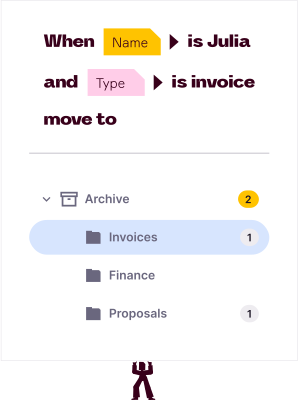
Rule-based automation for filing invoices into the appropriate folder.
Caya saves documents in the filing system in the Invoices folder

If is Julia and is invoice, move to
Graphic featuring the Caya logo surrounded by the logos of SAP, Microsoft, Google, W and AWS

Caya integrates seamlessly into your existing software landscape

Want to know if Caya is compatible with your existing setup? Contact us for a consultation.Want to know if Caya is compatible with your existing setup? Contact us for a consultation.

aws logo
Google Logo
Microsoft Logo

"The technology is incredible! We’ve sped up our administrative processes by 30% and save over 20 hours a week on tedious tasks that we no longer have to do manually."

Urban Impact Agency

Cayan with thumbs up

Pascal

Security and Compliance

Enterprise-Level Security

Caya meets the strictest requirements for data-sensitive industries, from BaFin-regulated companies to international corporations.

GDPR compliant

We adhere to current EU regulations. Personal data is properly collected, stored and documented.

ISO 27001 certified

Caya is certified according to the internationally recognised standard for information security management systems.

DORA compliant

Caya meets the requirements of the Digital Operational Resilience Act.

GoBD-compliant

Your digitised documents are stored in accordance with GoBD requirements and are traceable at all times.

Cloud servers in Germany

Your data is stored in an audit-proof manner in an ISO-certified data centre in Frankfurt.

GDPR compliant badge

GDPR compliant

We adhere to current EU regulations. Personal data is properly collected, stored and documented.

Caya is ISO 27001 certified – Information Security Management

ISO 27001 certified

Caya is certified according to the internationally recognised standard for information security management systems.

Caya meets the requirements of the EU DORA regulation for digital operational resilience

DORA compliant

Caya meets the requirements of the Digital Operational Resilience Act.

GoBD-compliant

Your digitised documents are stored in accordance with GoBD requirements and are traceable at all times.

Cloud servers in Germany

Your data is stored in an audit-proof manner in an ISO-certified data centre in Frankfurt.

Full automation for
every use case

Mail scanning

Your physical mail. Digitised daily.

We digitise your postal mail and make it available in your digital inbox.

  • Daily scanning & automatic classification
  • 90 days of physical archiving at the scanning centre
  • Notifications via app & email
  • Full text recognition (OCR) & full-text search
  • GoBD-compliant, immutable storage

Document Extractions

Structured data. Straight from your documents.

AI and deep OCR extract all relevant data and transfer it to your systems in a structured format.

  • AI-powered data extraction
  • Pre-trained models + custom extractions onEnquiryRequest
  • Structured output: JSON, CSV
  • Direct integration into your tool stack
  • No more manual data entry

FAQs

Does Caya offer user permission management?

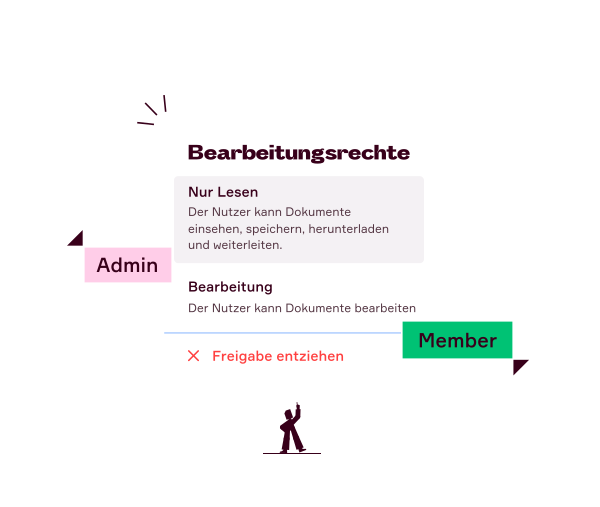
Yes. The Caya Document Automation Suite offers flexible access control: users are assigned role-based permissions at account level. Individual documents or entire folders can also be shared selectively with anyone you choose.

Yes. The Caya Document Automation Suite offers flexible access control: users are assigned role-based permissions at account level. Individual documents or entire folders can also be shared selectively with anyone you choose.
What does document automation mean at Caya?

Caya’s document automation provides rule-based control over entire document workflows – from the moment a document is received to its automated forwarding. Documents are automatically identified, classified, filed, and routed to the relevant people or systems.

Caya’s document automation provides rule-based control over entire document workflows – from the moment a document is received to its automated forwarding. Documents are automatically identified, classified, filed, and routed to the relevant people or systems.
Which workflows can be automated?

Caya automates your entire document workflow: from incoming emails and rule-based folder filing to distribution among staff and integration with external systems like ERP, OneDrive or Google Drive – all without manual intervention.

Caya automates your entire document workflow: from incoming emails and rule-based folder filing to distribution among staff and integration with external systems like ERP, OneDrive or Google Drive – all without manual intervention.
What added value does document automation offer businesses?

Caya’s document automation eliminates manual steps in document workflows, ensuring transparent and audit-proof processes. For example, SH Netz saves over 22 working days per year through automated document processing with Caya, while EG Deutschland GmbH saves 90% of the time per letter – around 290 hours every month.

Caya’s document automation eliminates manual steps in document workflows, ensuring transparent and audit-proof processes. For example, SH Netz saves over 22 working days per year through automated document processing with Caya, while EG Deutschland GmbH saves 90% of the time per letter – around 290 hours every month.
Is Document Automation suitable for growing businesses?

Yes. Caya grows dynamically with a company's requirements and adapts as structures, document volumes or organisational forms evolve – without the need for a system change or complex re-implementation.

Yes. Caya grows dynamically with a company's requirements and adapts as structures, document volumes or organisational forms evolve – without the need for a system change or complex re-implementation.
How does Caya automate invoice processing?

Caya automatically detects incoming invoices, classifies them, adds tags, and routes them in a structured way to the correct folder (e.g. accounting) and the relevant person.

Caya automatically detects incoming invoices, classifies them, adds tags, and routes them in a structured way to the correct folder (e.g. accounting) and the relevant person.

Have any questions?
Get in touch.

We are happy to answer all your questions and explain our product to you.

  • We take the time to understand your individual requirements and work with you to develop a solution.
  • Find out how you can increase productivity and optimise your workflows.
  • Get pricing information and discover various use cases for your business.
Question mark icon for tooltipQuestion mark icon for tooltip
Something went wrong while submitting the form. Please try again.
X icon

Thank you for your interest!

We will get back to you as soon as possible.